Room parent? Send one email. Everything else takes care of itself.
Message every family in your class, run events and sign-up sheets, and let AI draft it all from a sentence. Part of Gethery — the private directory for school communities.
- The parents you email don't need an account
- Any language
- One-click opt-out
Already have an account? Log in
You're running a classroom on three broken tools
Every room parent ends up with the same setup, and it fails the same way every time.
- A reply-all thread nobody can followOne message, every family, no thread to untangle
- A sign-up spreadsheet only you ever updateSlots parents claim themselves, filling in real time
- A group text half the class muted in SeptemberEmail that reaches everyone, that anyone can leave
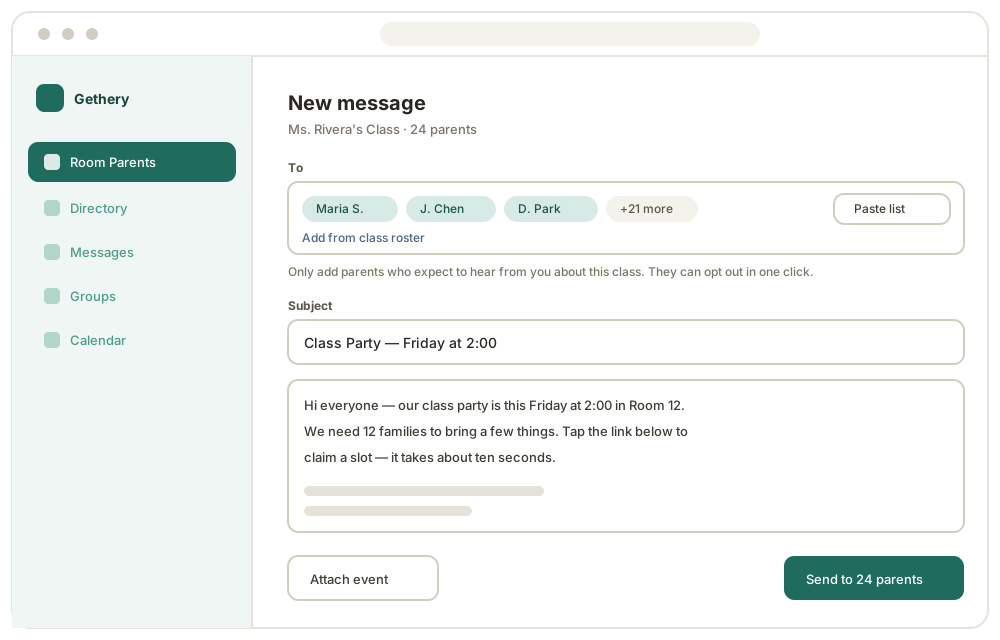
Email every parent in your class
Paste the list the teacher gave you, or pick families from your class roster. One message goes to all of them.
- Paste a list of addresses or choose from the roster
- See what was delivered, and fix a typo when something bounces
- Every message carries a one-click way out
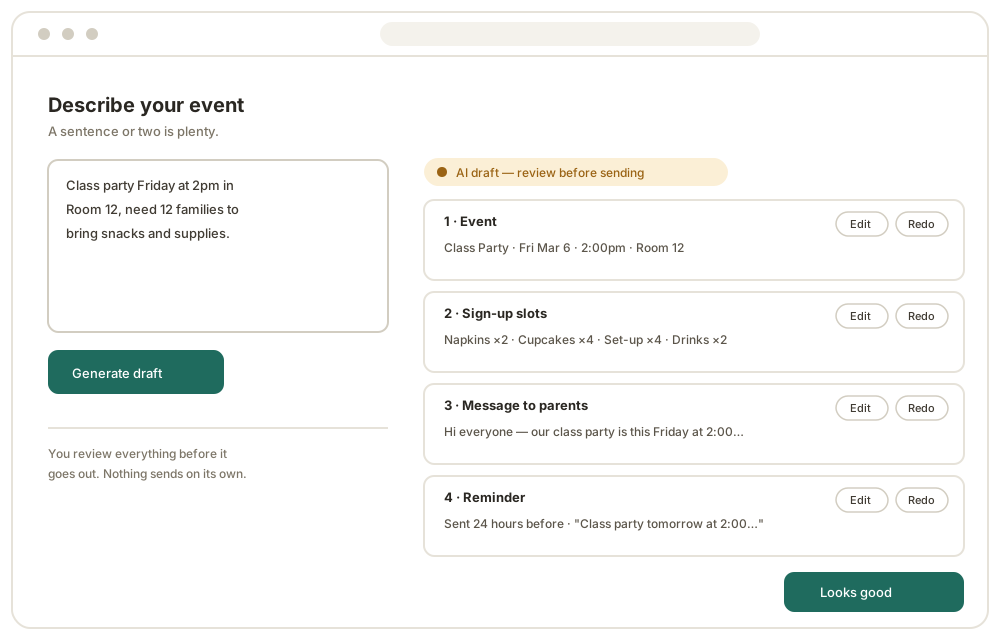
Describe it in a sentence. Get the whole thing back.
Type what's happening. You get a draft event, the sign-up slots, the message to parents, and the reminder — all editable, none of it sent until you say so.
- One sentence in; event, slots, message, and reminder out
- Change any piece, or ask for a different take
- Nothing sends on its own — you review and press send
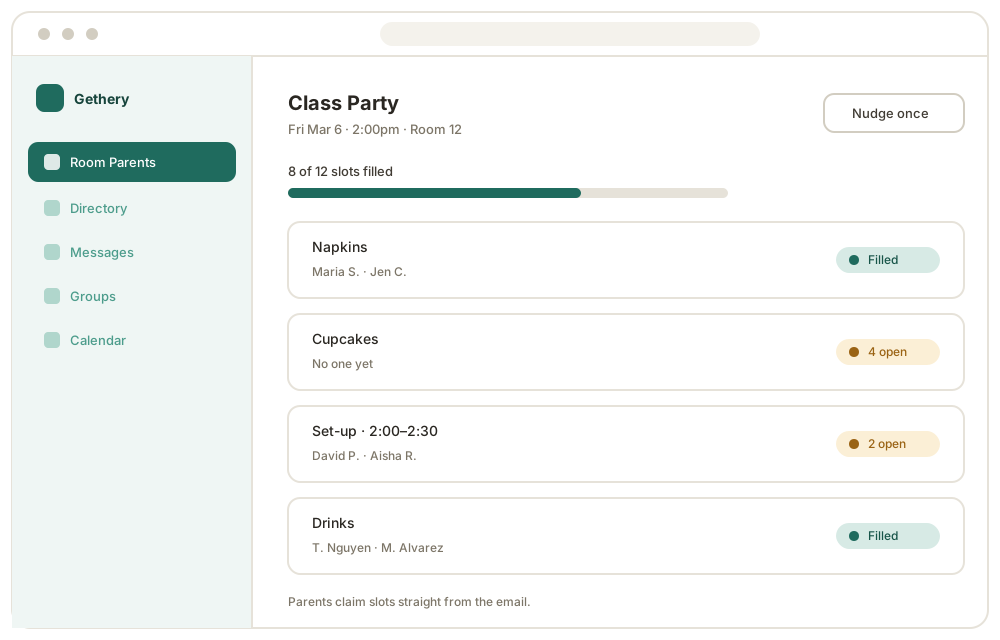
Sign-up sheets that fill themselves
Parents claim what they're bringing straight from the email. You watch it fill instead of counting replies.
- Slots for supplies, food, or volunteer shifts
- Live count of what's still open
- One gentle nudge, only to families who haven't claimed
The parents you email don't need an account
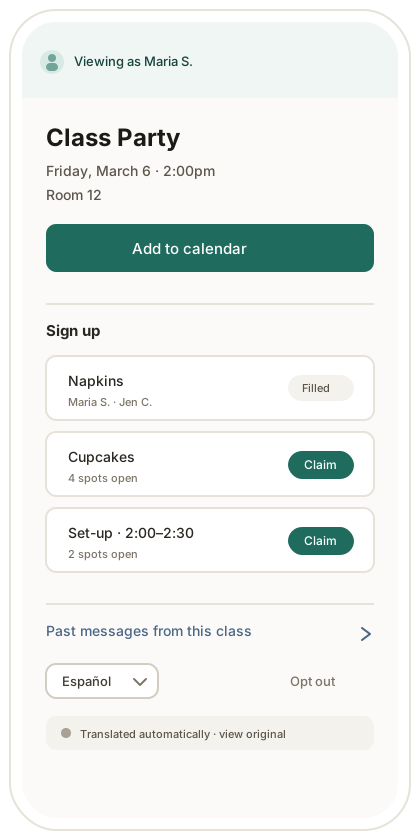
No app to download. No password to forget. They tap the link in your email and everything just works — which is why they actually do it.
- Claim a sign-up slot in two taps
- Add the event straight to their calendar
- Read it in their own language
- Catch up on past messages from your class
- Leave, any time, in one click
You'll have a Gethery account — that's your workspace, where your class, events, and sent messages live. The families you email don't need one.
Other families' contact information, handled carefully
You're being trusted with your class's email addresses. We treat that as the whole point, not a setting to find later.
Any parent can opt out in one click
Straight from the email, with no login and no explanation owed. You'll see a count — never who.
Addresses stay with your class
What you enter is used to message your class and nothing else. It never lands in the school directory or becomes visible to other families.
Your community's data is yours
We don't sell it, mine it, or hand it to advertisers. It belongs to your school, not to us.
Bringing this to your whole school?
Every classroom gets its own room parents and its own sign-ups, all inside one private school directory. If you run a PTA or a school and want this across every grade, raise your hand with the same form.
Start freeHow to get started
- 1
Create your free account
Your name, your email, your school. That's the whole form.
- 2
Name your classroom
However you refer to it — “Ms. Rivera's 3rd Grade” or “Room 202.”
- 3
Email your parents
Add the families in your class and send. They don't create anything.
Questions, answered
Get your class off the reply-all thread.
Set up your classroom in one short form.
Free for your classroom. The parents you email won't need an account.